Little Lemon Website
The Little Lemon Web Site was developed as the project for the Meta Back-End Developer course, following the 'Back-End first' development approach.
Developing Back-End API
The website's development process begins by prioritizing the server-side logic, database interaction, the API implementation, and token-based authentication. These foundational elements lay the groundwork for a robust and efficient web application. Here's a breakdown of each aspect:
- The server-side logic encompasses the code that runs on the web server. It handles requests from clients (such as web browsers) and processes them to generate dynamic responses.
- A well-organized server-side logic ensures maintainability, scalability, and efficient resource utilization.
- The website relies on a database to store and retrieve data.
- In this project, MySQL was used as the database system. Unlike the default SQLite database used in Django projects, MySQL offers better performance and scalability for larger applications.
- The API (Application Programming Interface) acts as a bridge between the front-end and back-end. It defines how different components communicate with each other.
- The API in this project adheres to RESTful principles, which emphasize simplicity, scalability, and statelessness.
- The API were implemented using Django Rest Framework (DRF), a powerful toolkit for building APIs in Django.
- The API used serializers to convert raw data from the database into JSON format to be sent into the front-end. This process also supports deserialization, which works backwards. This process receives JSON elements from the front-end, validates and authenticates the data, and convert it into objects that can be stored into the database.
- To secure our back-end services, Django's token-based authentication was employed.
- When a user logs in or performs an authenticated action, the server generates a unique token associated with that user.
- Subsequent requests include this token, allowing the server to verify the user's identity and grant access to protected resources, otherwise, the server will response with an error message.
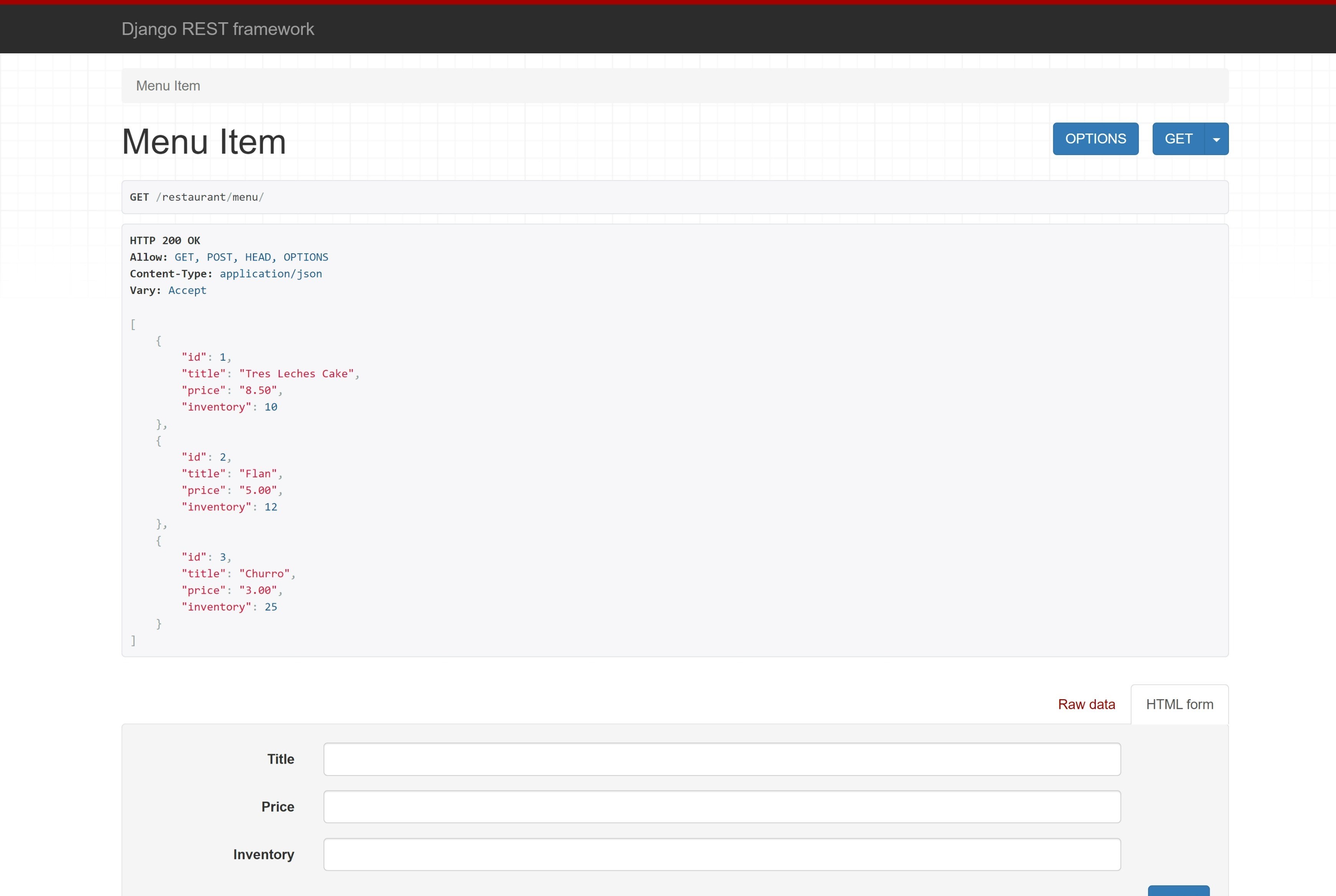
1. Displaying Menu List
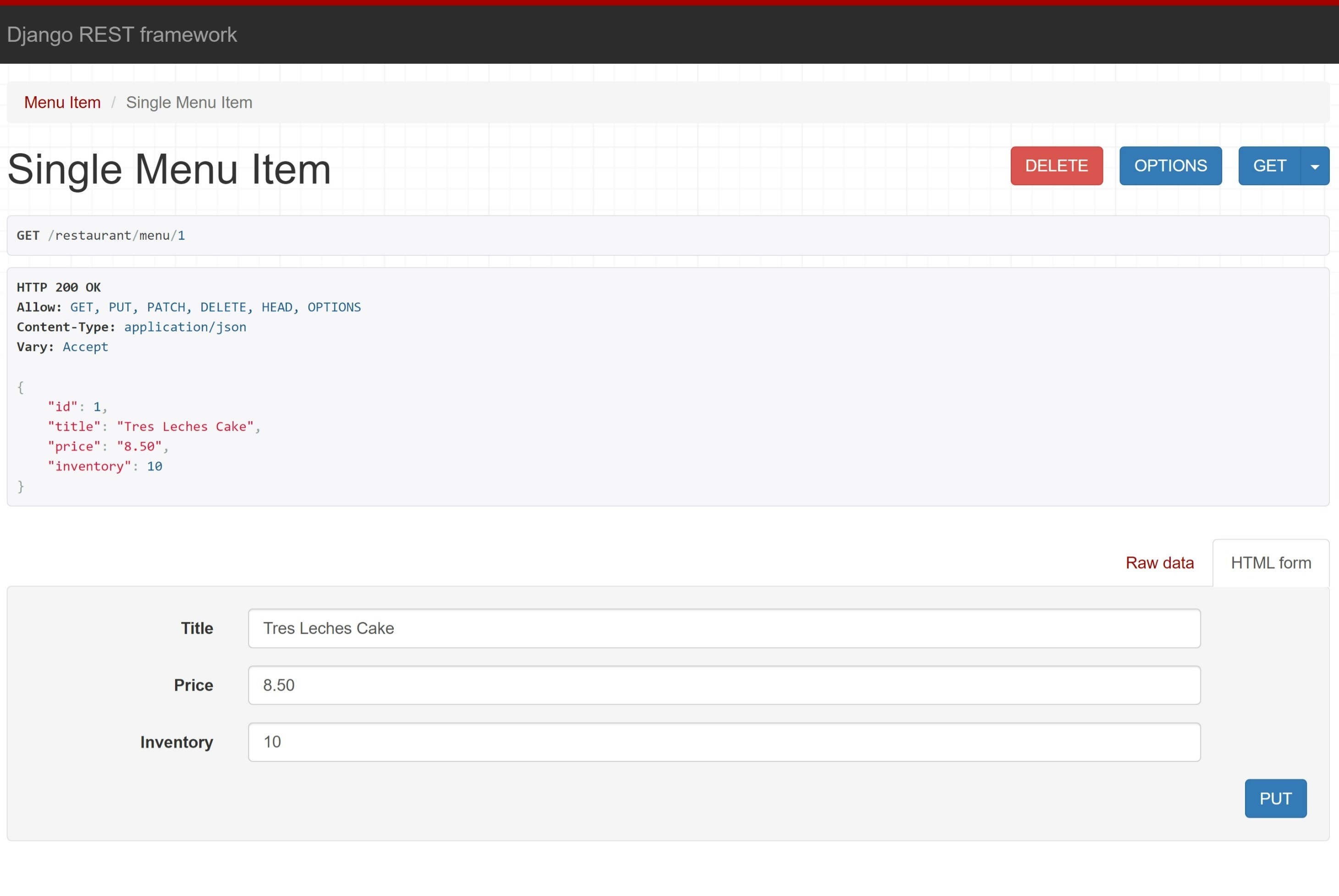
2. Displaying Menu Item
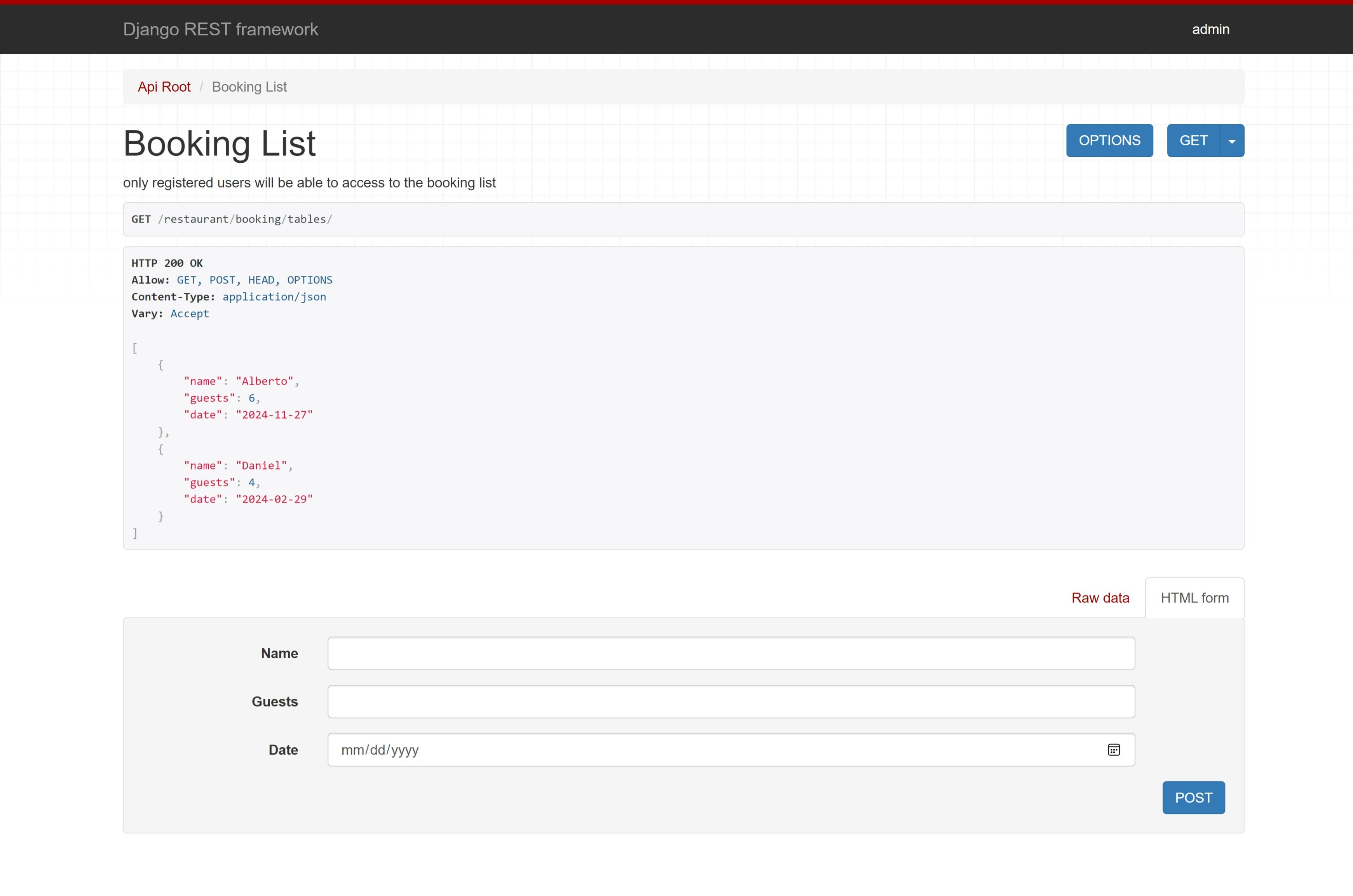
3. Displaying Booking List
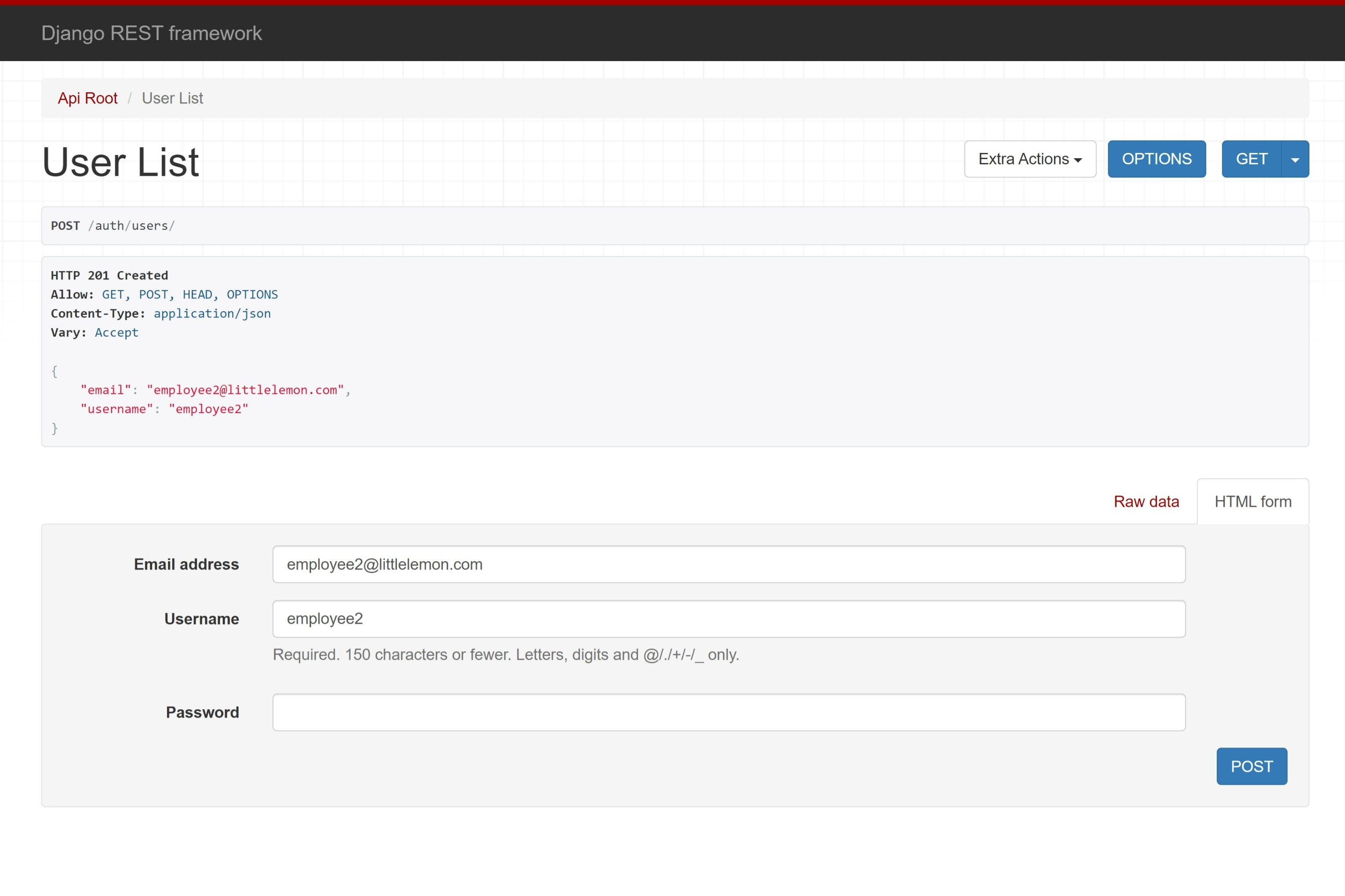
4. Creating User
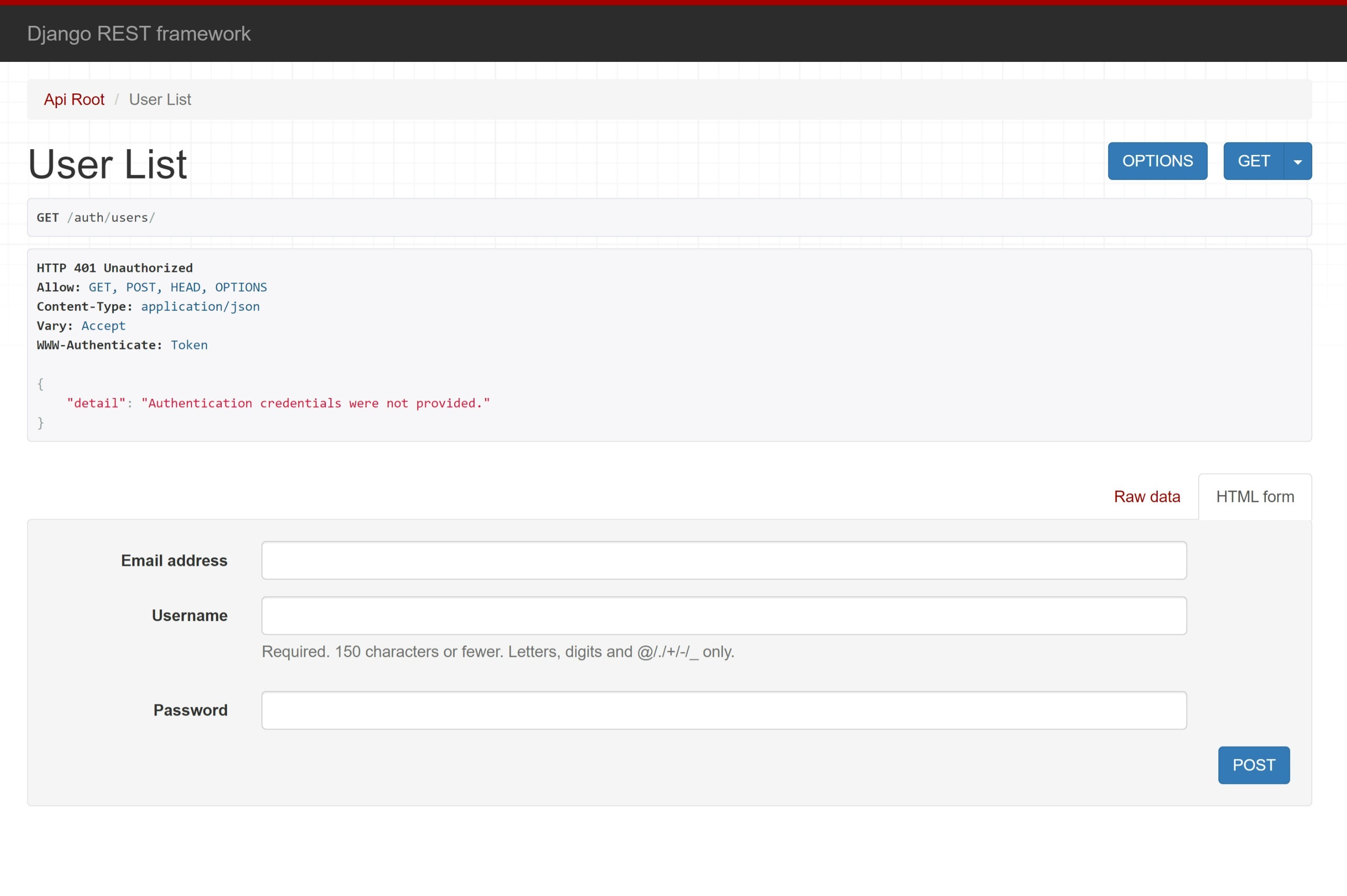
5. Unauthorized User List
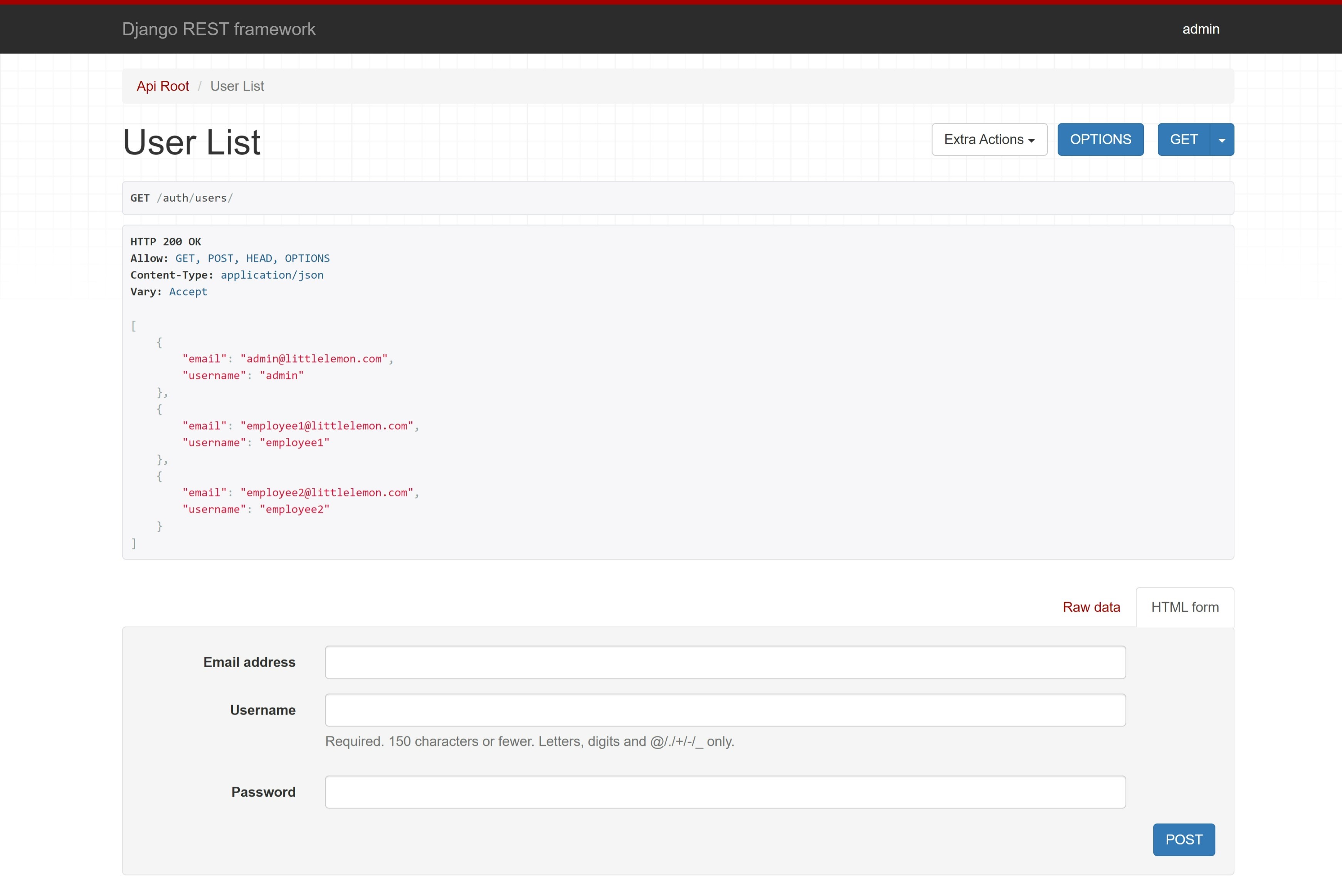
6. Authorized User List
The images above show the functionality of some of the endpoints supported by the API.
- In the menu list endpoint, the API supports GET and POST HTML methods. The GET method sends the list of menu items stored in the database to the front-end. The POST method allows for users to create a new Menu Item by giving 3 characteristics: a title, price, and number of inventory.
- By selecting a single menu item from the Menu List, the user will be redirected to the Single Menu Item endpoint where the allowed methods are GET, PUT, PATCH, and DELETE. The GET method shows the data of the menu item to the user and it lets them either update it (using PUT and PATCH) or get rid of it (using DELETE).
- This endpoint supports GET and POST methods. GET displays the list of booked tables for the restaurant with the name of the guest, the number in a party, and the date for their reservation. The POST method allows users to reserve a table for themselves.
- The User List endpoint allows users to register for the restaurant website by sending a POST method with their email address, username, and a password. This endpoint also allows the GET method to display the list of users registered into the system, and for that there are two different options explained below.
- Not everyone should have access to the list of registered users. In this case, an error message is returned instead of the expected data when the user requesting the user list does not have the appropriate permissions.
- If the user has the required permissions, this endpoint will receive and display the list of users.
Implementing the Full Stack
Once the API was implemented, the next step was to use Django's templates to render dynamic websites with the use of Django Template Language (DTL) and the DRY (Don't Repeat Yourself) principle to avoid code redundancy.
This was achieved by creating a 'Base' template, a 'Header' and 'Footer' templates, and individual page templates.
- The Base HTML file contains the essential components of the website such as the components within the 'head' tag, a navigation menu, and a footer.
- The Header file contains the logo and the navigation bar for the website and the footer contains the 'copyright' for the site. These two were then included in the 'base' html file using the {% include %} tag of DTL.
- Finally, each individual web page (Main, About, Menu List, Menu Item, and Booking) is a separate html file that extends the 'base' element by using the {% extends %} and the {% block content %} tags (also from DTL).
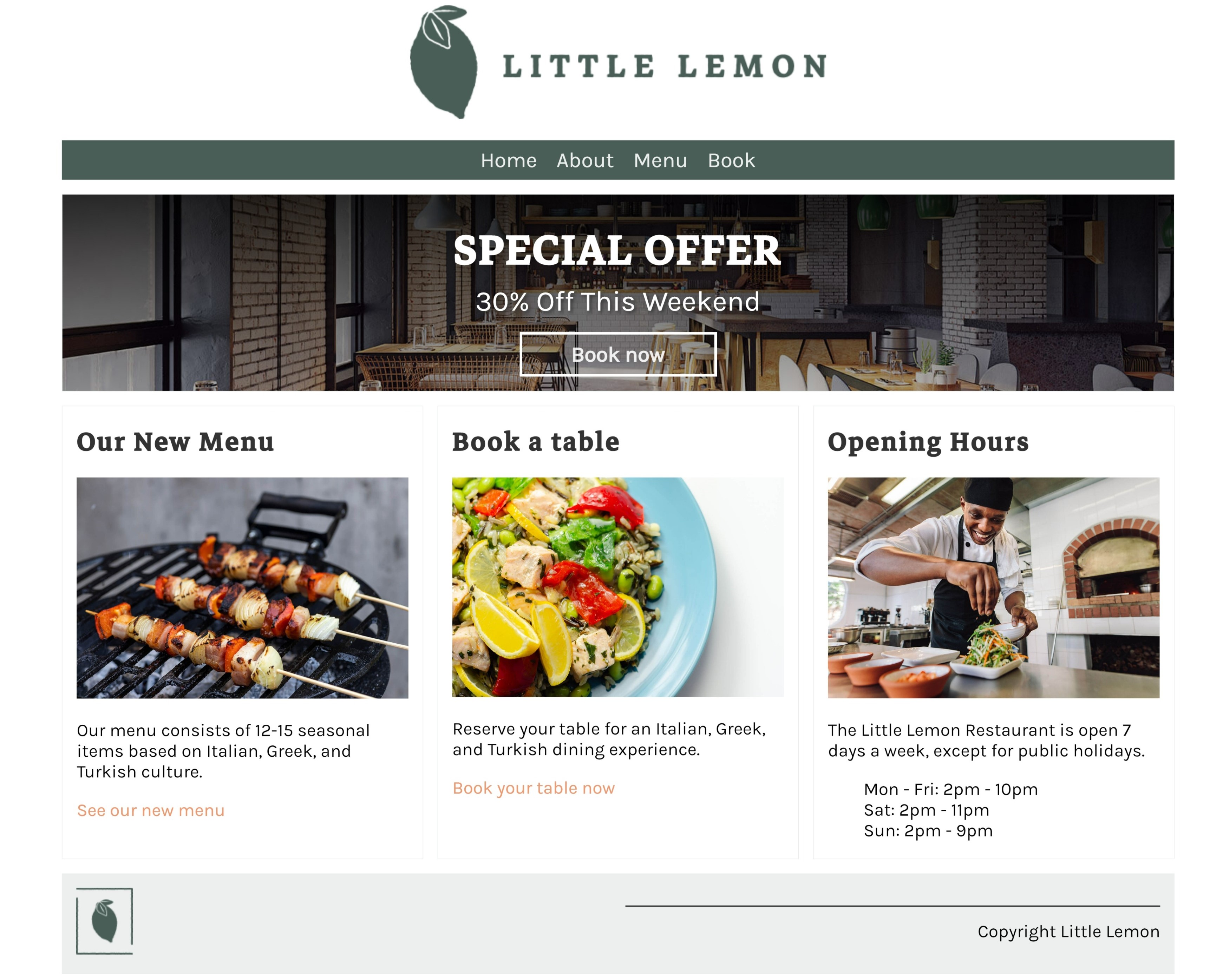
1. Main Page
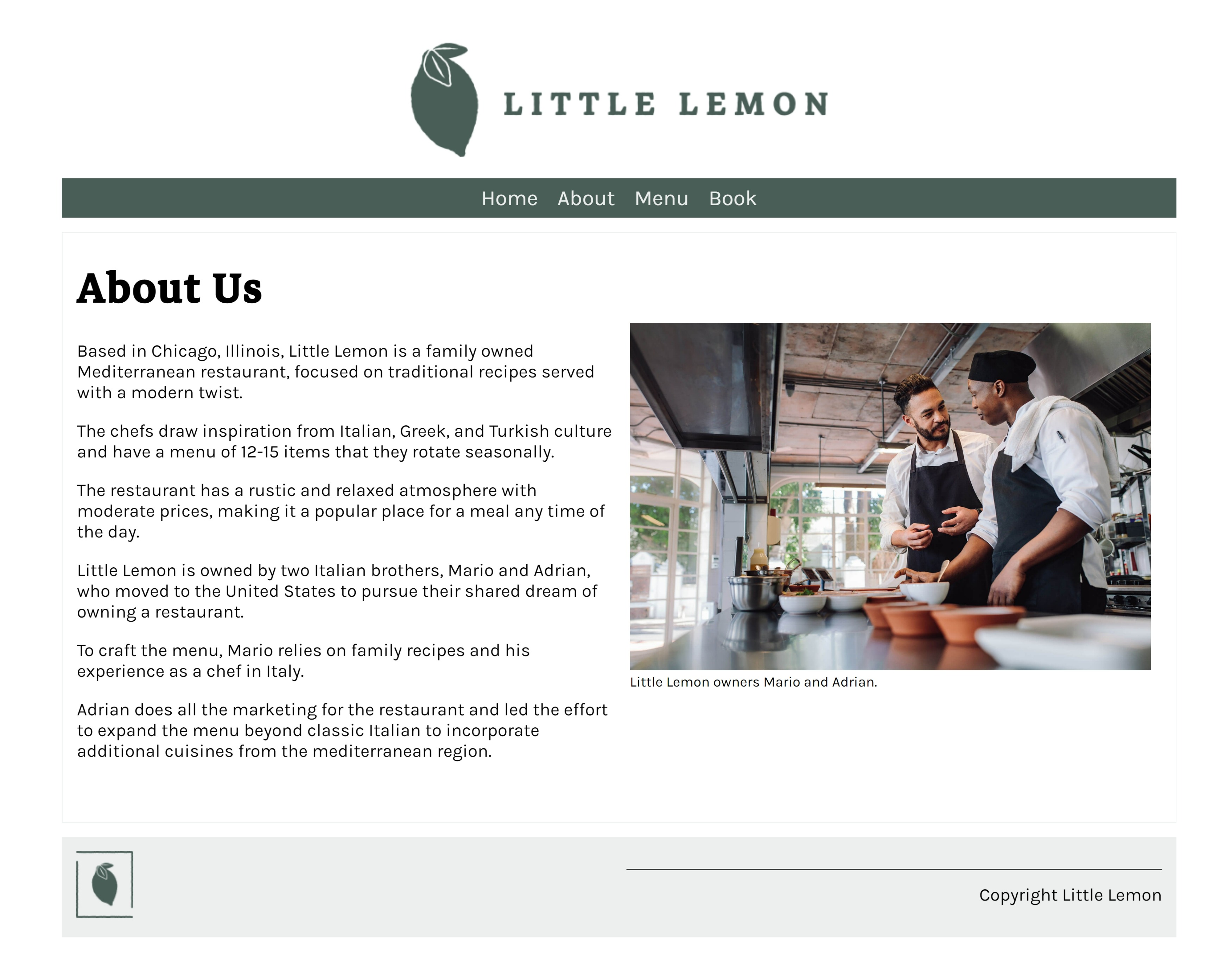
2. About Page
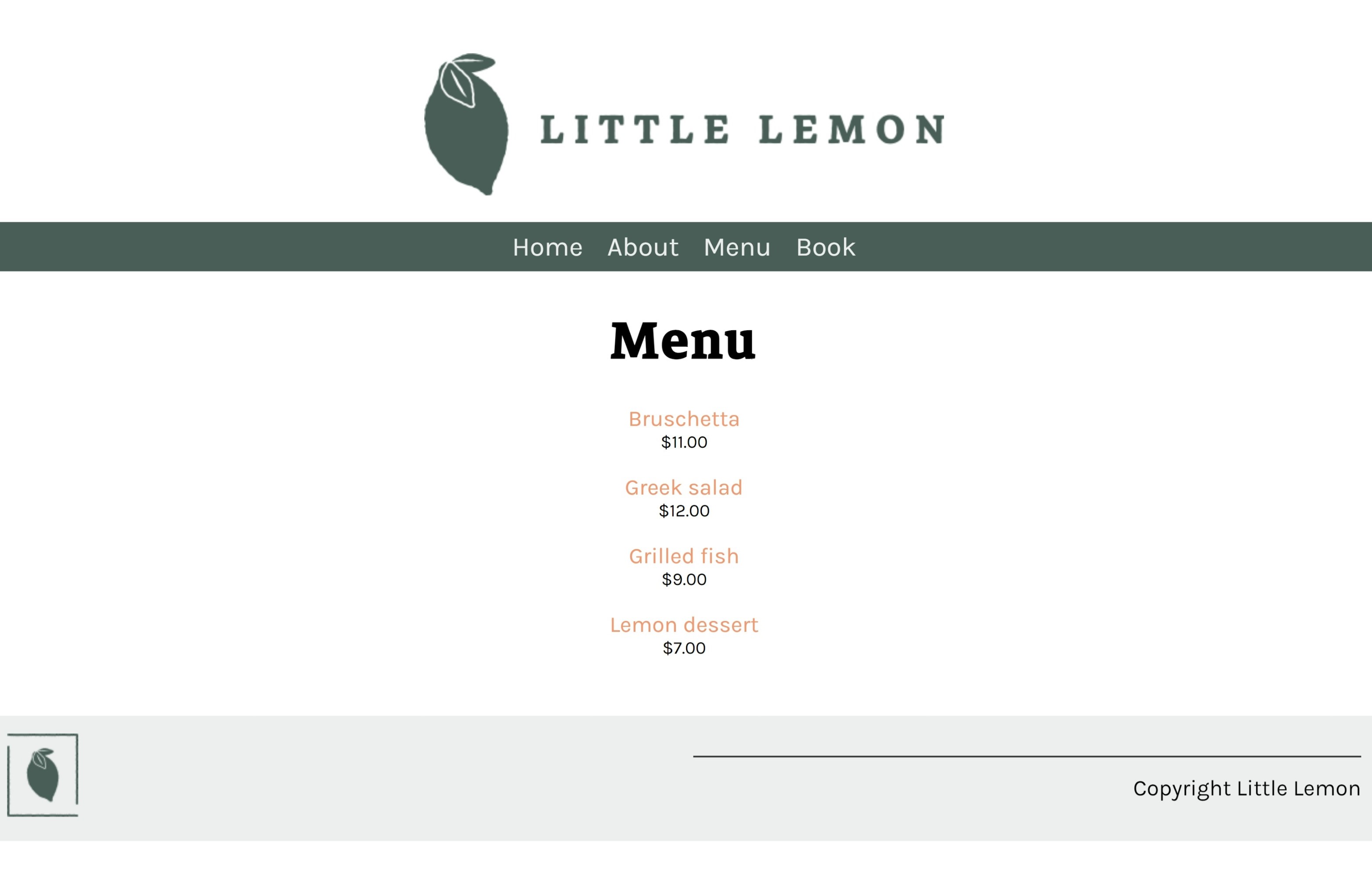
3. Menu List
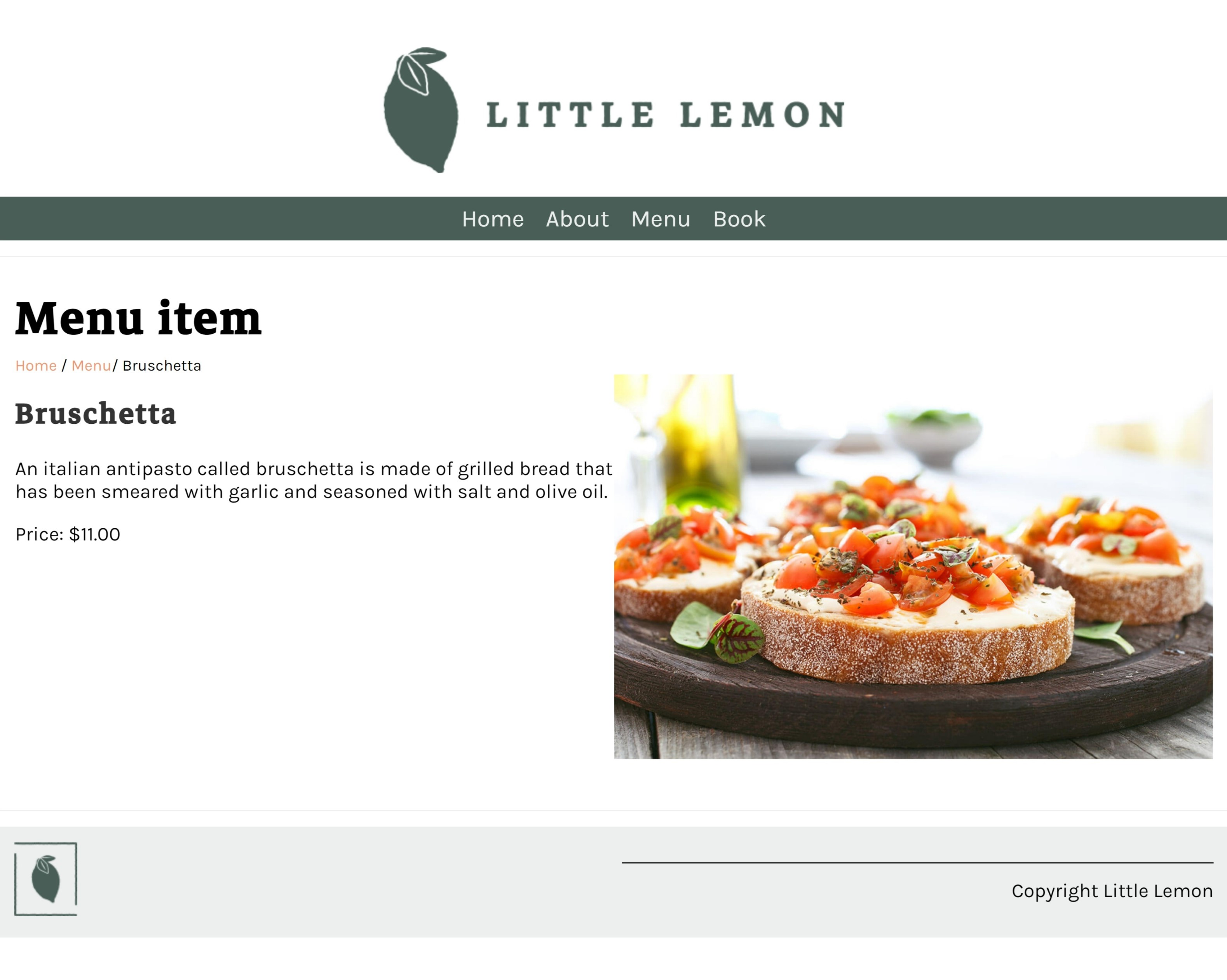
4. Menu Item
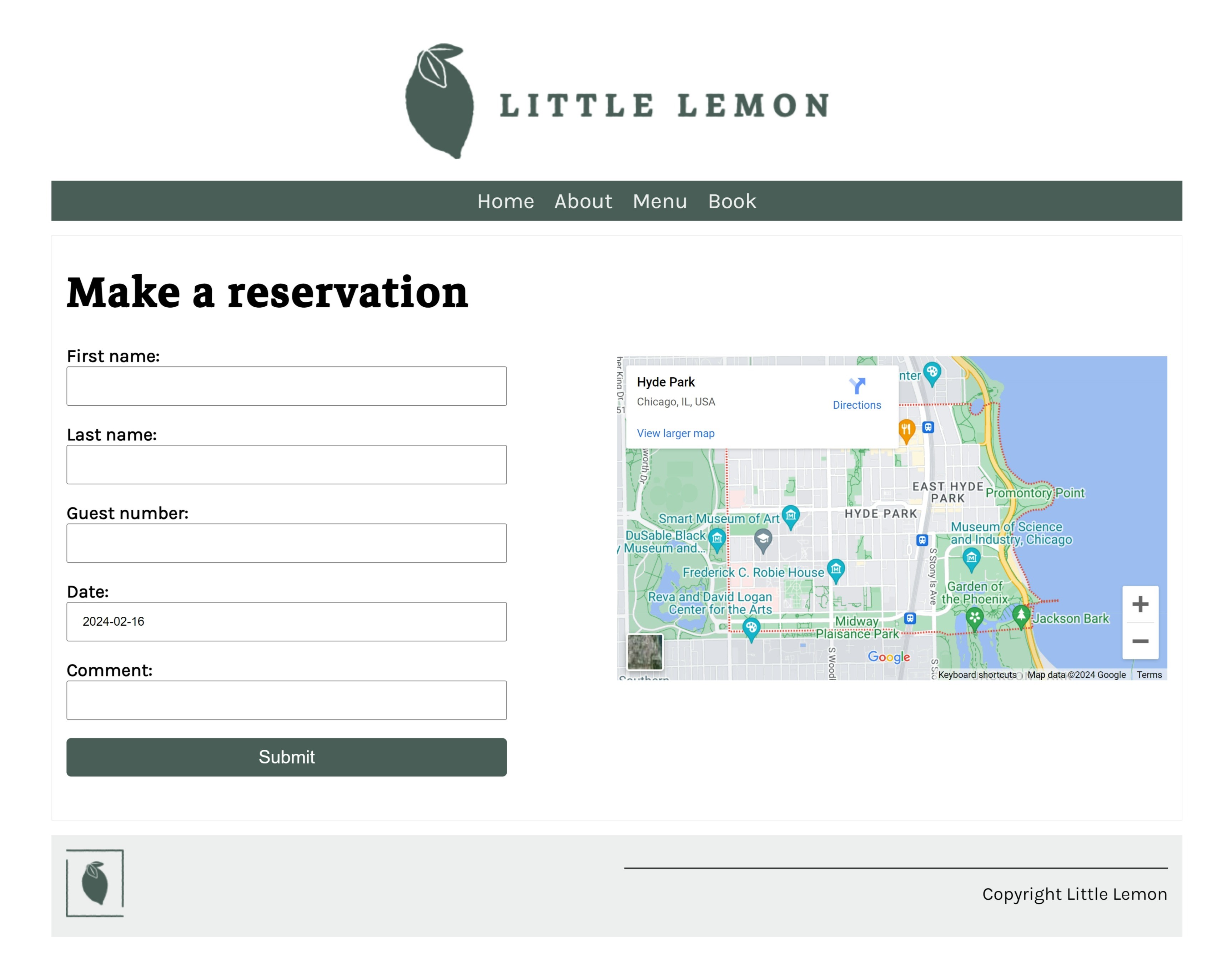
5. Booking Page
The images above show the outcome of the Little Lemon website.
NOTE: While the course covers Full Stack development, its emphasis primarily lies on back-end development. Consequently, certain elements of the website —such as the layout code, restaurant name, 'about us' details, menu item images, and descriptions— were supplied directly by the course material.